In the fast-paced realm of automation, staying ahead of the curve is imperative for businesses seeking to optimize their operations, save time, and maximize efficiency. Recent enhancements in automation usability have not only elevated the industry standards but have also unlocked fresh possibilities for businesses to harness the full potential of automation. In this blog post, we’ll explore the latest enhancements, provide practical insights on using them, and peek into what the future holds for automation at ActiveCampaign.

Reference deal ID and deal title in your automation testing
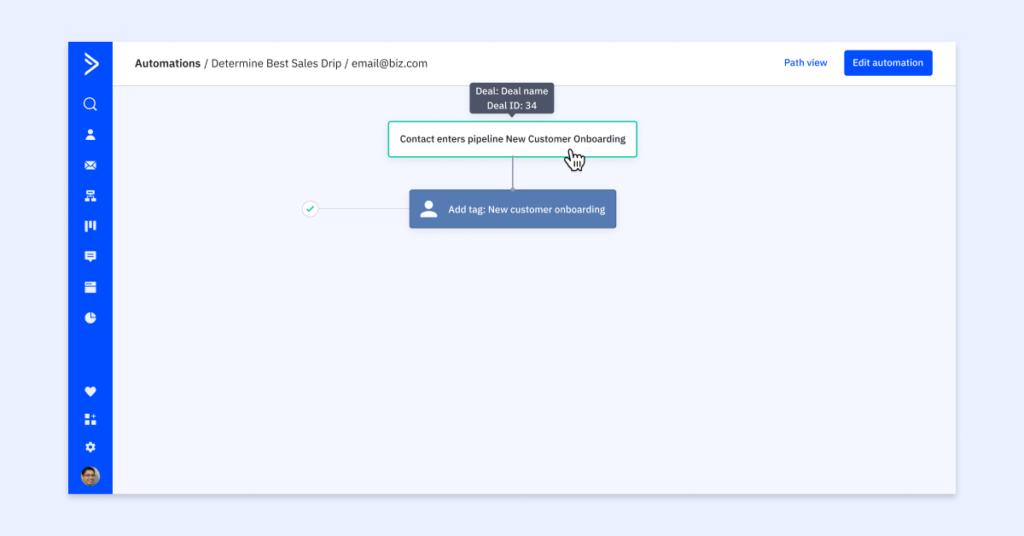
Testing your automation has never been more insightful. With this enhancement, you can easily identify the related deal (deal ID and deal title) that triggered the specific contact to enter the automation when testing your contact pathway. It provides valuable context, making it easier to troubleshoot and optimize your automation processes.
Practical application:
- Trigger when a deal field changes
- Trigger when a deal value meets
- Trigger when a deal stage changes
Visit the specific contact profile > select the applicable automation label under the automations section > view contact pathway > see referenced deal ID and deal title that triggered the automation.
Update a contact field to blank
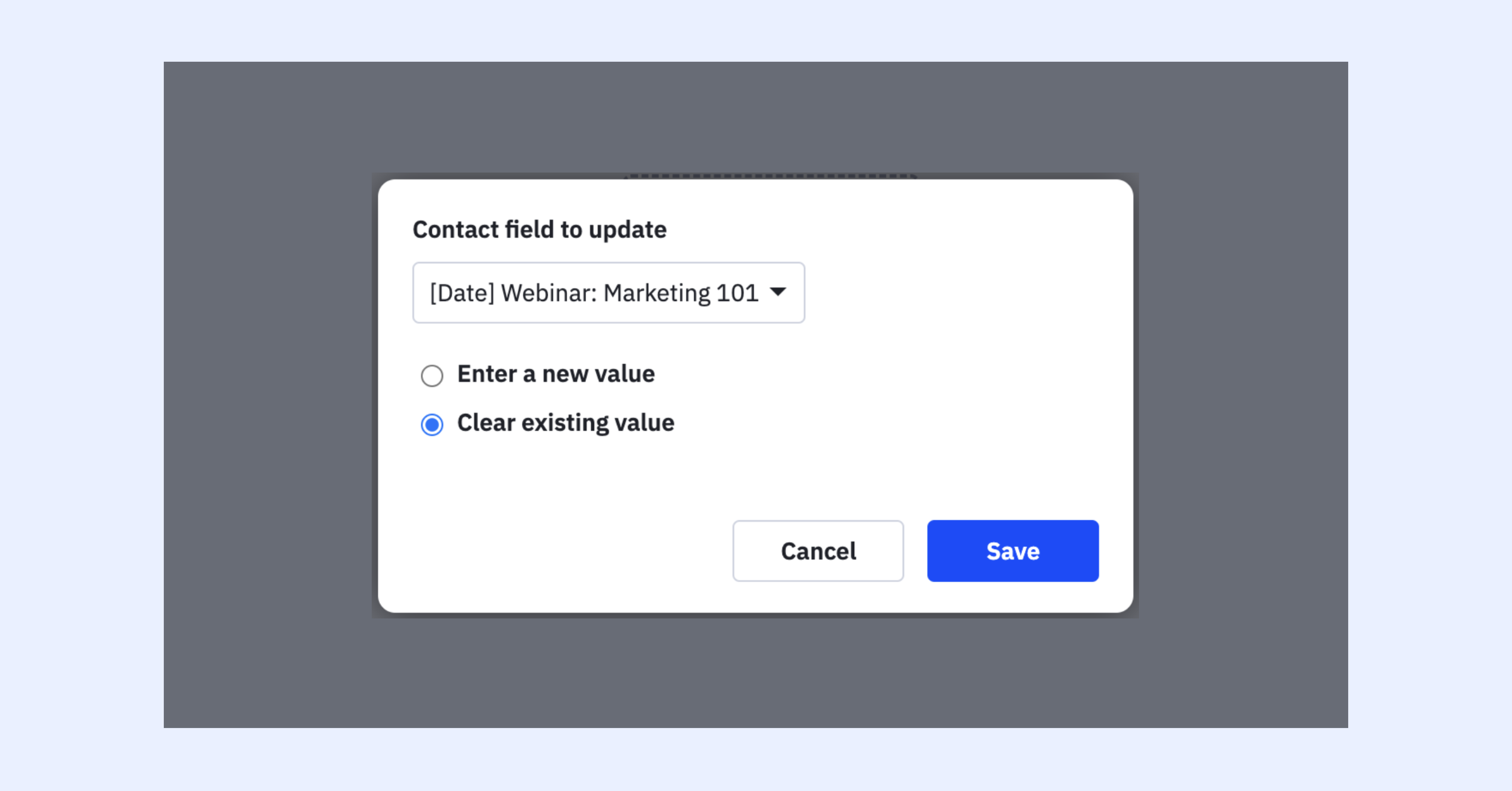
In the world of automation, flexibility is key. This improvement to the ‘update a contact’ field’s value to blank is a powerful new addition. It means you can dynamically clear or reset contact fields within your automation. This level of control ensures that your data remains accurate and up-to-date. Whether it’s resetting a contact’s subscription status or clearing a custom field, this enhancement provides greater control over your automation processes.
Practical application:
Update a contact’s field value X to blank if Y occurs
An example might include resetting a target contact as it falls in and out of engagement with your business. For example, when a contact score falls below 20 points, clear the warm lead field value from “Yes” to blank so we can reset the targeting process.
Tag management: relationship update
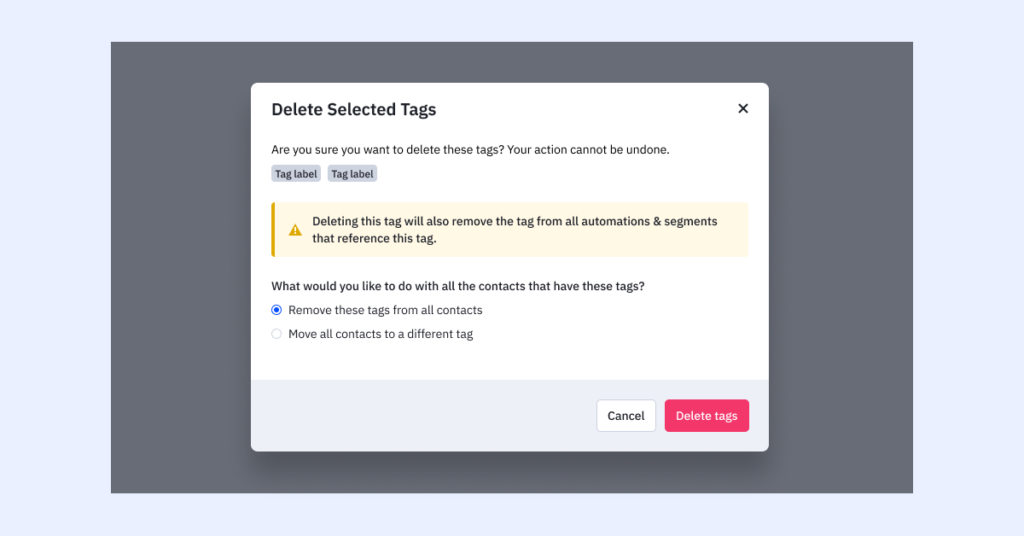
Managing tags just got more powerful. With the recent update, you can now apply tag action updates platform-wide. This enhancement simplifies tag management and ensures consistency across your entire automation ecosystem. Whether it’s updating tags based on contact behavior or triggering specific actions when a tag is applied, this enhancement streamlines your workflow, making it more efficient and effective.
Practical application:
- Update a tag name from X to Y on your manage tags page and the update should carry across the platform
- Delete an old tag X from the manage tags page and confirm its deletion from applicable automations across the platform
New date filter on automation overview report
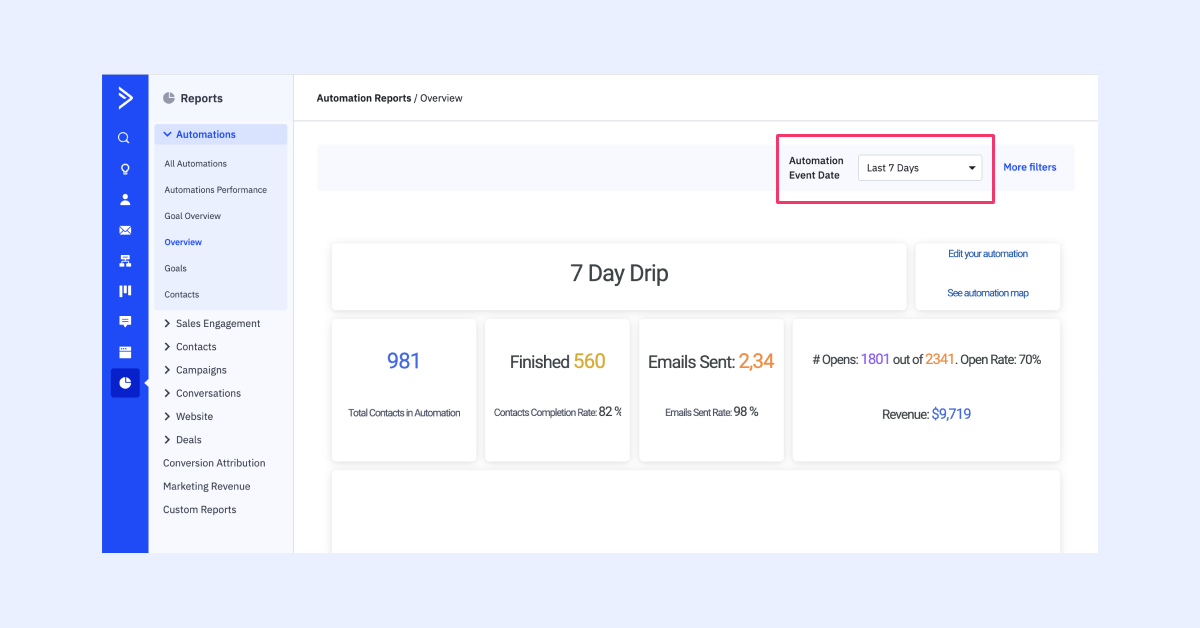
Use our customizable date filter on your automation overview report for deeper context into automation performance over time. This means you now can spot performance trends and take actions needed to increase your automation performance.
Practical application:
- See how a specific automation performed over the last 30 days for more contextually relevant insight based on recency
- Analyze how a specific automation performed over the past year to assess performance at the macro level
Ongoing release: optimized automation triggers
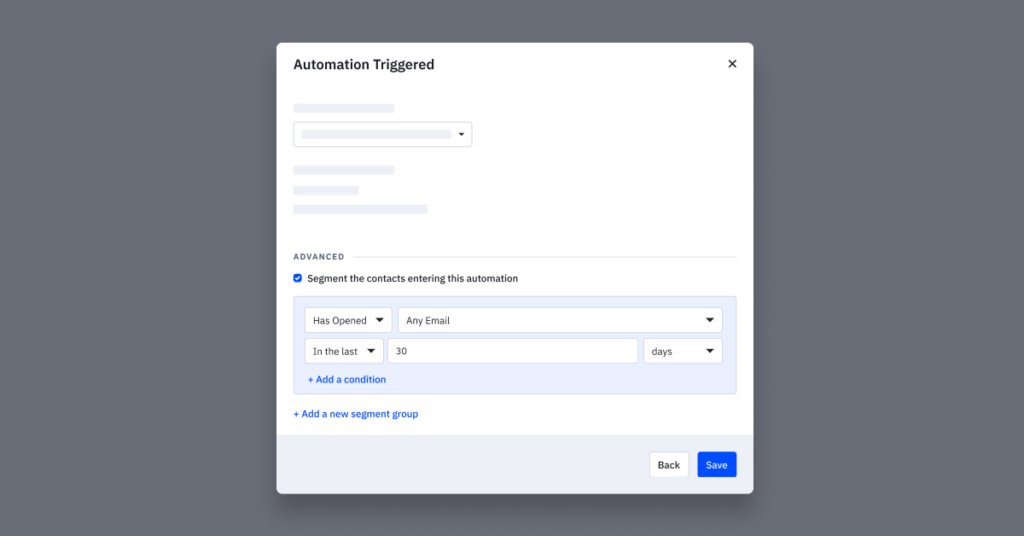
Soon, expect an enhanced segmentation builder across all triggers in ActiveCampaign. This means that all new conditions, such as email activity windows, multi-tag selection, contact list status, and more will be supported in triggers. This enhancement will give you, even more, granularity and precision in targeting specific contacts, making your automations more effective.
Triggers in process:
- Submits a form
- Web page is visited
- Goal is achieved
- Event is recorded
- Dismisses a site message
- Conversion occurs
Bulk automation campaign management
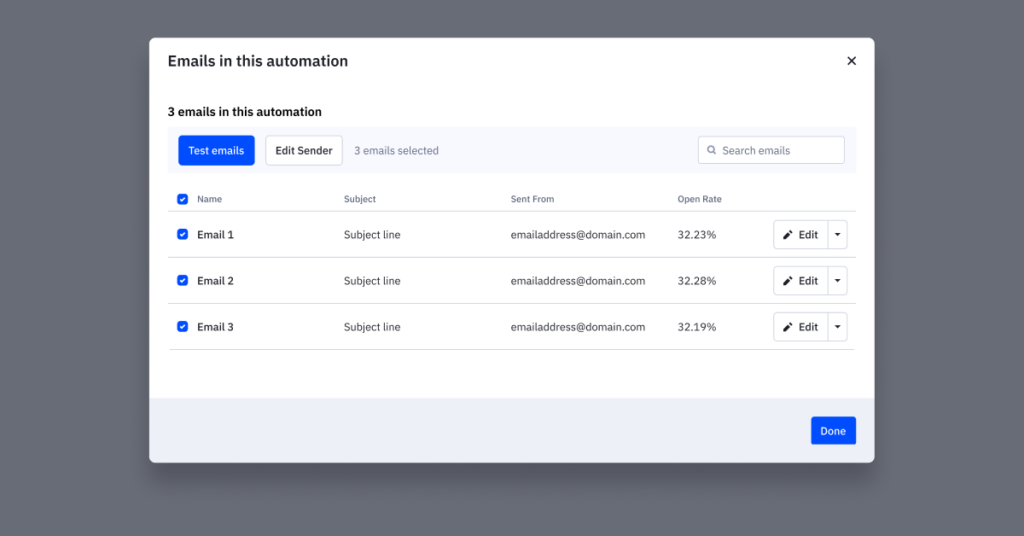
The latest addition to automation campaign management introduces new modal access under the “Manage Emails” button within your automations. This enhancement enables bulk editing of sender information and bulk testing of automation campaigns across entire automation sequences. These updates streamline automation campaign management, making it more efficient and user-friendly.
Practical application:
- Identify an automation that needs all associated automation campaign reply-to addresses to be updated to a no-reply address quickly
- Test all associated automation campaigns at once on an automation with many campaigns to make the review process seamless
Automation unsubscribe management
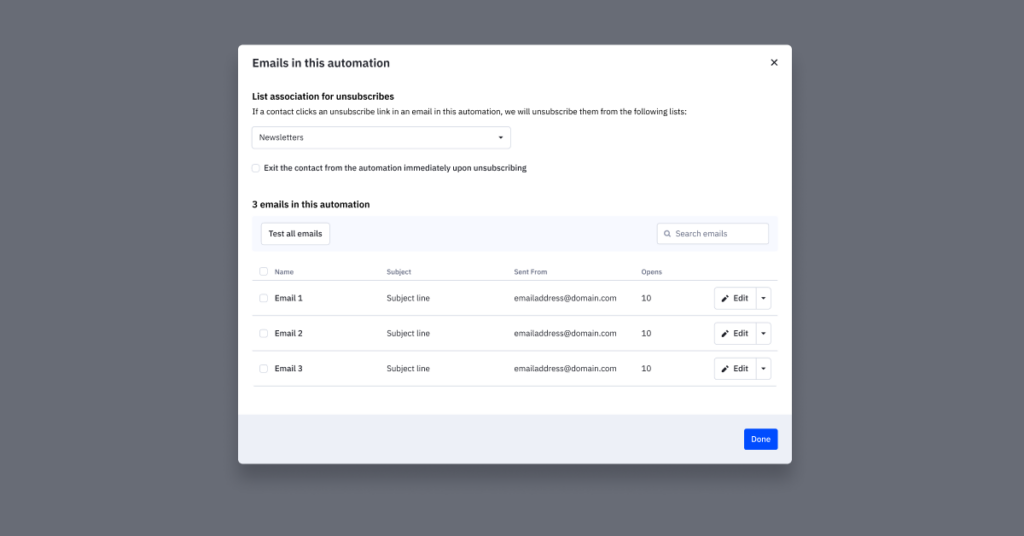
Exciting news! We’ve launched an enhancement to our automation subscription process that will make email marketing life a whole lot easier. You can now customize the automation unsubscribe experience for your subscribers, allowing them to choose which types of emails they want to receive based on list(s) associations in your automations. This means you receive more fine-tuned control over your various contacts’ subscription options as they run through your automations.
It’s as simple as selecting the lists affected by each automation, and voila! Your subscribers get to stay connected on their terms. Give it a spin in your account today and start offering a more personalized and user-friendly unsubscribe experience.
Practical application:
- Update your welcome series automation to be associated with a specific list
- Update your upsell automation to be associated with various lists
Conclusion
In conclusion, the world of automation is evolving rapidly, and recent enhancements are setting new standards for usability and functionality. These improvements empower businesses to automate processes, save time, and achieve better results. As we look to the future, the integration of AI, enhanced testing capabilities, and improved segmentation will continue to shape the automation landscape, offering new opportunities for businesses to thrive in an increasingly automated world. Stay tuned for more exciting developments on the horizon!